Rulemailer
Rule is a very popular Email Service Provider (ESP). It is well integrated with Centra out of the box, so you can easily use it to send out transactional emails, subscribe your shoppers to the newsletter, register for back-in-stock notifications, and claim abandoned carts.
Rule functions are split into two plugins in Centra: One for email subscriptions, and one for transactional emails and other functions. Keep reading below to learn how you can start using it in your Centra!
Since both Rule plugins can use the same API key, you only need to create one account in Rule. You can create your API key in Rule app -> Settings -> Developer.
Rule newsletter subscribe plugin
This plugin allows you to quickly connect your Rule account to your newsletter subscriptions. After you activate the plugin with your API key and save it, Centra will change the behaviour of the newsletter subscription endpoints. Both Storefront API mutation subscribeToNewsletter, as well as Checkout API newsletter-subscription endpoint will now trigger internal API calls from Centra to Rule's /subscribers endpoint.
Therefore, the configuration of the subscription plugin is minimal:
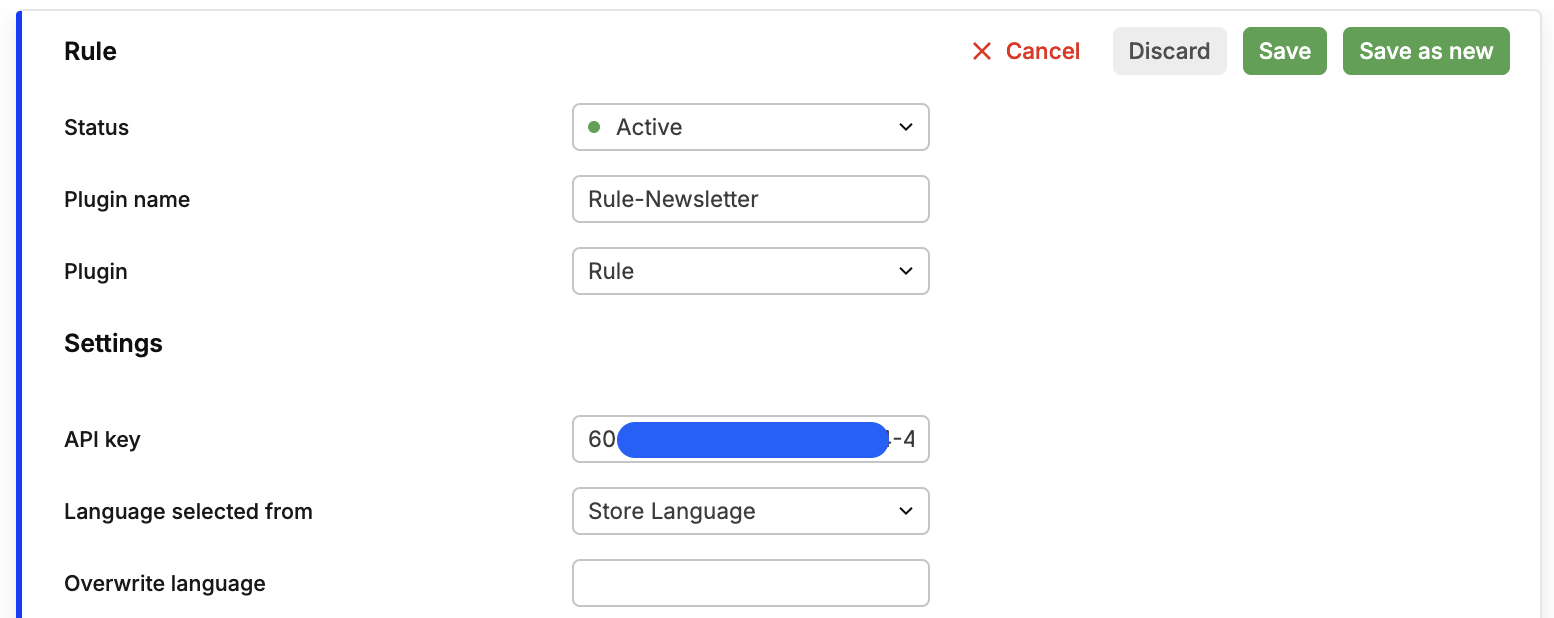
After saving the plugin, you can now go to Rule App and configure custom behaviours for your newsletters.
Newsletter subscription example
Subscribing to newsletter is then as easy as calling the Storefront API subscribeToNewsletter mutation:
mutation subscribeToNewsletter {
  subscribeToNewsletter (
    email: "name@company.com"
    additionalInfo: {
      gender: MALE
      languageCode: "sv"
      emailField: ""
    }
  ) {
    subscribed
    userErrors {message path}
  }
}
The emailField string is a honeypot for bots. The way to use it is to configure your email subscription form with both user-visible fields (email, language, gender, etc.), but also add a form field for emailField which should have visibility: hidden. Then send all the form fields to Centra. If emailField has any non-empty string, the subscription will be considered a bot attempt and the mutation will silently fail: no subscription will be created in the backend, but the API will still return a standard success response, so that the bot stops attempting to register.
Rule email trigger plugin
This plugin allows you to configure:
- Transactional emails (order receipt, shipping confirmation, cancellation, refund, etc.)
- Customer emails (registration, password reset, subscriptions)
- Cart abandonment for baskets that started checkout but never finished
- Back-in-stock notifications for items current out of stock
Here's what the plugin looks like:
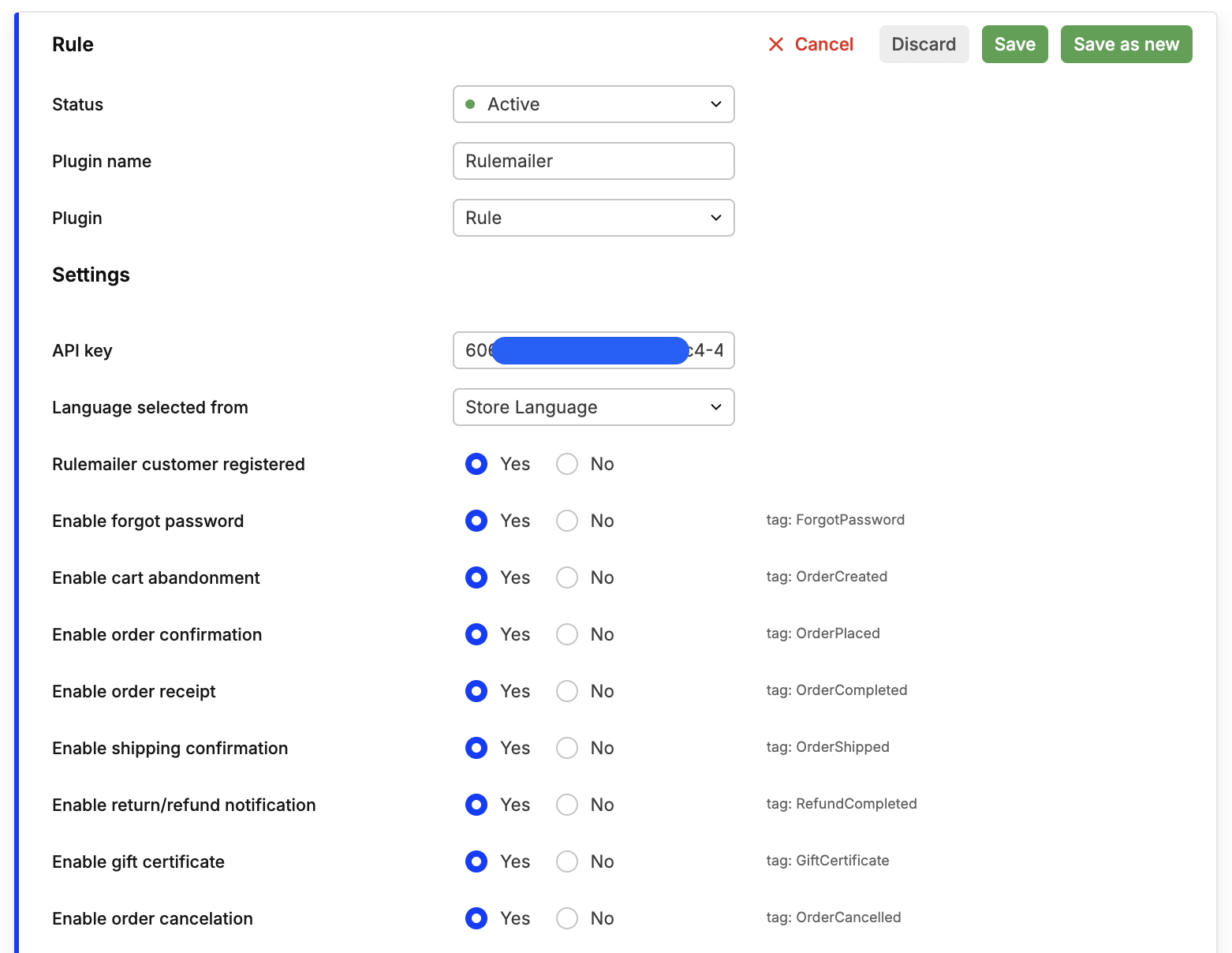
After you configure your Rule API key, feel free to enable any and all email triggers for all email types available. Immediately next to them you will find their corresponding Rule tag, so that you know which automations to further configure in your Rule App for this type of email.
Additional options
-
Rulemailer customer registered: Choose if you wish to register customers in Rule. If not, plugin can still be used for sending transational emails, but won't support customer-related features. -
Enable gift certificate: This allows your Rule plugin to send out emails with gift certificate codes purchased via Centra. When you buy one and pay for it, the order is immediately completed in Centra and the email with the new credit voucher code is sent to the shopper. This credit can be used on later purchases. -
Enable back in stock notifications: Allows you to subscribe to be notified when stock is replenished for items currently not available in your store. TheMinimum stock levelsetting allows you to set a minimum new stock threshold for when the notification email will actually be sent. This way you can avoid a race condition between shoppers if many people have signed up for a product for which only a few items have been added. -
Frontend prefix for product URLsandCart linkmust be proper URLs pointing to the sameFrontend URLas configured in your Storefront API plugin.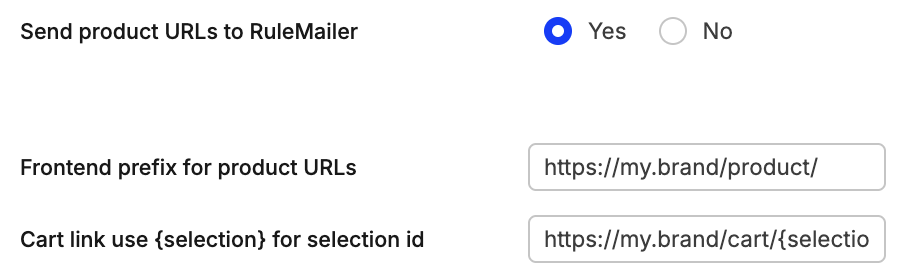
-
Restrict product fieldslimits how much product detail will be sent to Rule for recording the transation and sending emails. -
Restrict product alert fieldslimits how much product information will be sent specifically when registering to theback-in-stockfeature.
Storefront API examples
Subscribe to back-in-stock
Use the same item ID as when adding items to basket. Remember, this only works for items that are currently out of stock.
mutation subscribeToBackInStock {
  subscribeToBackInStock (input: {
    email: "customer@domain.com"
    shipTo: {countryCode: "PL"}
    item: "98-109"
  }) {
    subscribed
    userErrors {message path}
  }
}
Re-attach abandoned cart to current API session
This only works for API-created selections. The selection ID will be sent to your frontend when the shopper clicks the link in their cart abandonment email, so please parse it and hand it over to Centra:
mutation recoverAbandonedBasket {
  setSelection(id: "12c05a8bb0023fdca9e1f48291a845fb") {
    selection {
      id
      lines {
        id
        quantity
        name
      }
      grandTotal { formattedValue }
    }
    userErrors { message path }
  }
}